
Membership Changes, Renewal, Auto Payments, Cancellation
We believe it is no exaggeration to assert the Venops team has created the most accurate, effective exclusion screening service in the industry. Still, we recognize there are times when a our members may migrate to other services. Canceling or otherwise changing a Venops membership is a straightforward process that takes moments. Please help us improve by participating in a short exit poll when you receive the verification email.
Changes to your Venops membership are a straightforward process:
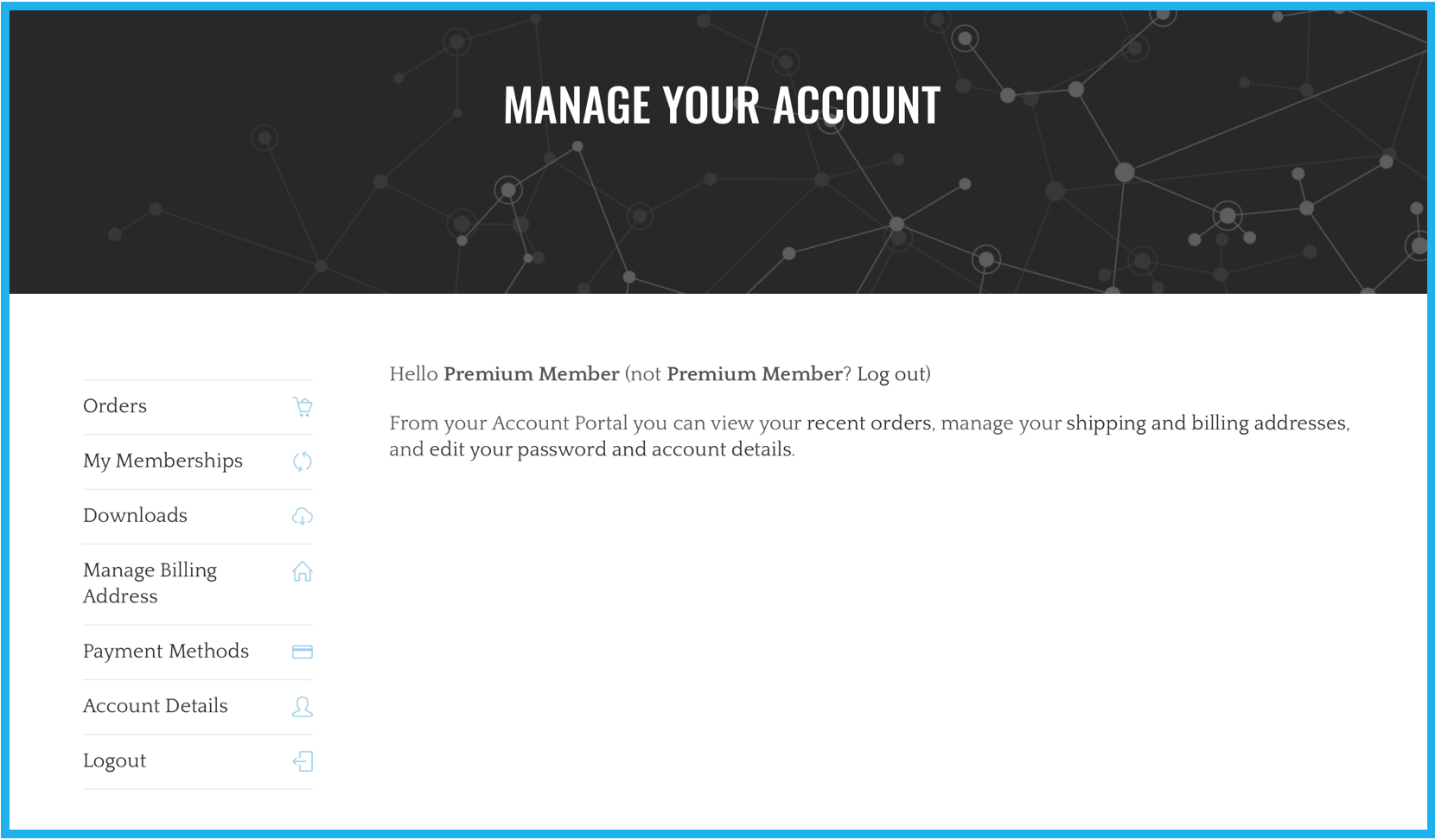
1. To proceed, you need the account management menu. If you just logged in, the account management menu is on the left (as seen below).
NOTE: If you did not just log in, skip to step 2.
The menu offers several options and each are defined here:
- Orders: A record of your membership is located here.
- My Memberships: The date your membership began.
- Downloads: This is another location where you can download the Template used for Venops report creation.
- Manage Billing Address: Edit and otherwise update your billing address.
- Payment Methods: Add or update payment methods.
- Account Details: From here you can update the contact names, emails, and other basic information for your account.
2. From any other area of the Venops site:
- Hover your cursor at the top-right of the page over the “Shortcuts” button.
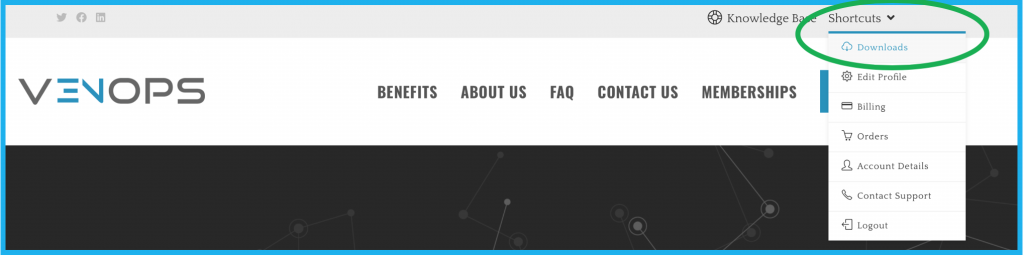
- Click “Edit Profile” within the popup menu to navigate to the account management page.
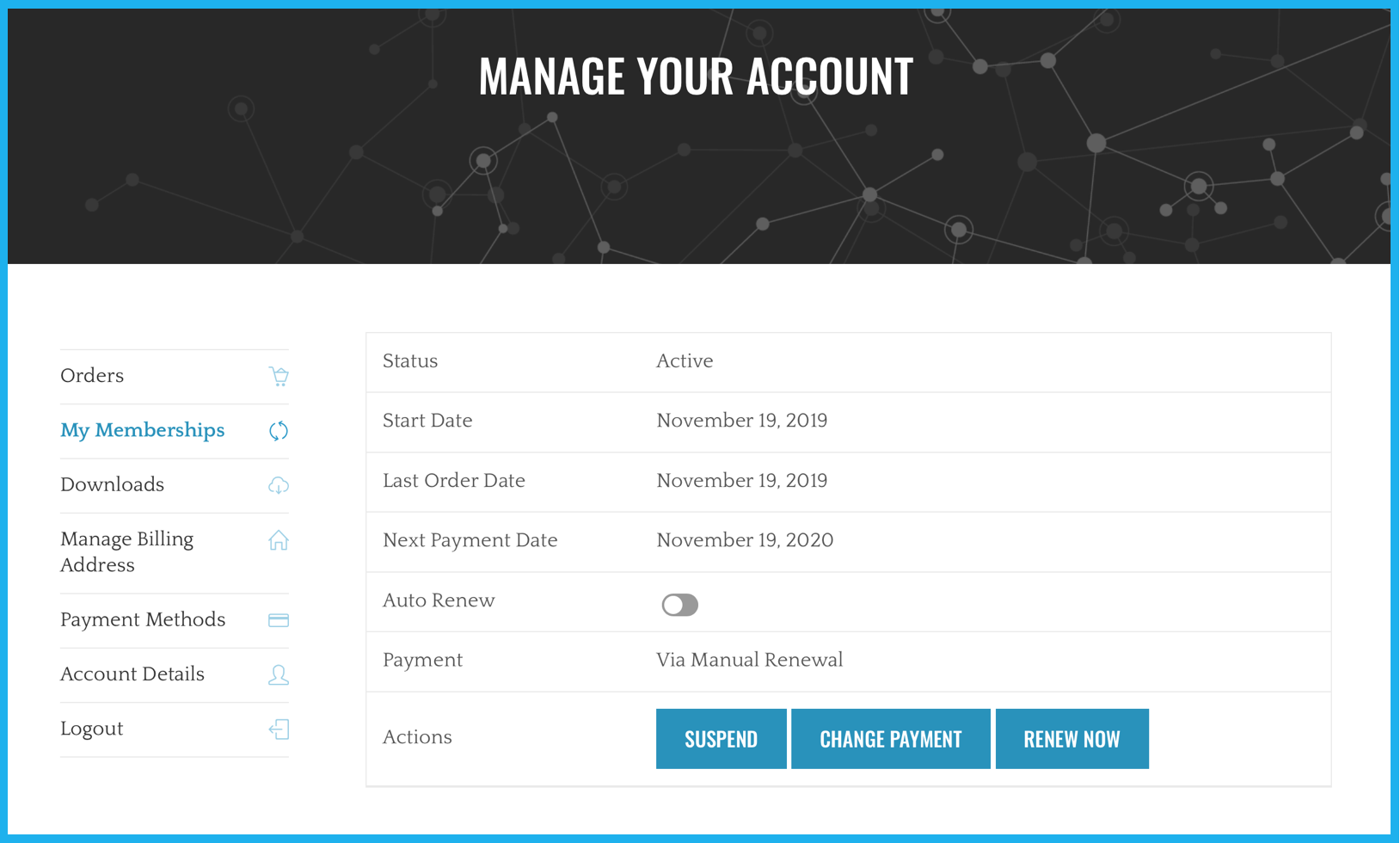
3. The account management page shown below offers a menu with several options.
NOTE: These menu option are also shown above in step 1.
The menu offers several options and each are defined here:
- Orders: Your record of membership is located here.
- My Memberships: The date your membership began, or the date of your latest renewal. This is also where you can toggle the “Auto Renew” button. The setting shown below is set to manual renewal.
- Downloads: This is another location where you can download the Template used for Venops report creation.
- Manage Billing Address: Edit and otherwise update your billing address.
- Payment Methods: Add or update payment methods.
- Account Details: From here you can update the contact names, emails, and other basic information for your account.
NOTE: If your Venops membership is a no-cost benefit through a contracted parent company or other affiliation, your membership will automatically renew annually at no cost.
Membership Cancellation
Membership can be cancelled by toggling the “Auto Renew” button (shown above) to manual renewal, and allowing your membership to expire. The time remaining in your membership/billing period is yours to keep. Screening will not continue, though your previous reports will remain available, as your account will still exist.
Deleting Your Account
If you have no need of viewing your records of reports in the future and would like to fully delete your Venops account, please send a simple request email to memberservices@venops.com and your request will be processed promptly. Please keep in mind that this action cannot be undone once completed. It is recommended to save your reports and other documents from your Venops dashboard prior to proceeding.
Still need help for anything? You can always contact Member Services for additional assistance.